

Play NetBet Casino on Mobile
Get the NetBet iOS app from the App Store, install the Android APK from netbet.co.uk, or play instantly in your mobile browser - your full account works on every device.
Popular Mobile Games
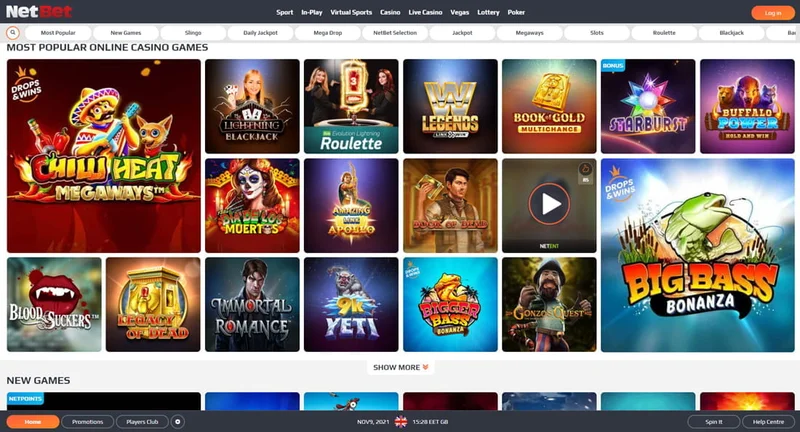
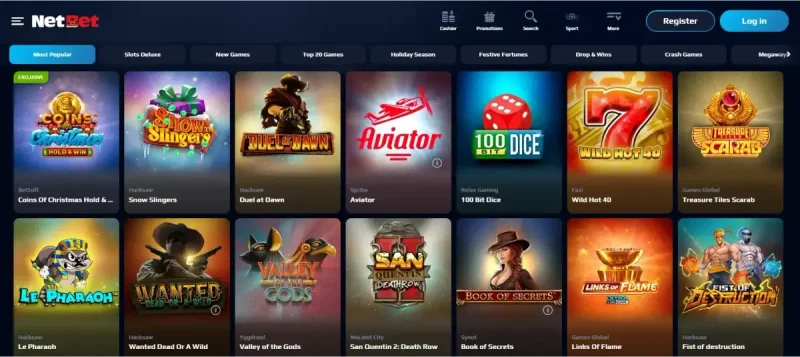
Top slots from the NetBet library, optimised for touch-screen play


NetBet Casino Mobile Experience in 2026
NetBet Casino brings its full slots, live casino and sportsbook offering to your phone or tablet. UK players can install the iOS app from the Apple App Store, side-load the Android APK from netbet.co.uk, or simply log in through any modern mobile browser - the same NetBet account works across every option.
The mobile experience mirrors the desktop site, with the same game library, bonuses, deposit and withdrawal methods, and account tools. The HTML5 mobile site adapts to portrait or landscape orientation, so you don't need to download anything to start playing on iPhone, iPad or Android.
NetBet Enterprises Limited is licensed and regulated in Great Britain by the Gambling Commission (account number 39170). All NetBet UK responsible-gambling tools - deposit limits, time-outs, self-exclusion and the GAMSTOP scheme - are accessible from inside the app and the mobile site, just as they are on desktop.
iOS App
App Store
Android
APK download
Mobile Web
Any browser
Licensed by
UKGC
NetBet Casino Mobile Features
Whichever way you access NetBet on mobile, you get the same account, the same wallet and the same NetBet UK game library. Slots, jackpots, table games, the Live Casino studios and the sportsbook are all available, and you can switch between them without logging out.
On supported iPhone and Android devices, the native app can use Face ID, Touch ID or fingerprint unlock for faster log-in, and you can opt in to push notifications for promotions and account updates. Live chat support is reachable from within the app and the mobile site - you don't need a separate browser tab to talk to NetBet's UK support team.
Biometric Login
On supported devices the iOS app accepts Face ID or Touch ID, and the Android app accepts fingerprint unlock for faster sign-in.
Optional Push Notifications
Opt in during first launch to receive promo and account alerts, or decline and rely on email - the choice is yours and can be changed at any time.
Touch-Optimised Games
Slots and table games from NetBet's providers are built in HTML5 with portrait and landscape support and touch-friendly controls.
Safer Gambling Tools
Set deposit, loss and session limits, take a time-out, self-exclude or join GAMSTOP - all from your account on mobile.
In-App Support
Reach the NetBet UK support team via live chat or email directly from the app and mobile site - no need to switch to a browser.
UK Payment Methods
Deposit and withdraw with the same UK-friendly options used on desktop - debit cards, PayPal, Apple Pay and more, depending on availability.
How to Get NetBet on Your Mobile in 2026
Setup takes only a couple of minutes. iPhone and iPad users download the NetBet app from the Apple App Store. Android users install the official APK from netbet.co.uk - the Google Play store does not list the casino app, which is why NetBet distributes it directly. If you'd rather skip the install entirely, the mobile site at netbet.co.uk works in any modern browser.
Your existing NetBet UK account works across the iOS app, the Android APK, the mobile site and the desktop site - one log-in, one wallet, one set of bonuses. Always start the download from the official netbet.co.uk site or your device's app store to make sure you're getting the genuine, UK-licensed build.
iOS Download
iPhone & iPad
- Available on the Apple App Store
- For iPhone and iPad - check the App Store listing for the current iOS requirement
- Face ID and Touch ID supported on compatible devices
- Auto-updates via the App Store
Android Download
APK from netbet.co.uk
- APK distributed directly from netbet.co.uk (not on Google Play)
- You'll need to allow installs from this source
- Fingerprint unlock supported on compatible devices
- Updates pushed via netbet.co.uk - or play in your mobile browser instead
iOS Installation Guide: iPhone and iPad Setup
Installing NetBet on iPhone or iPad goes through the Apple App Store like any other app. Search for "NetBet" in the App Store, confirm the listing is by the official publisher, and tap Get to install. Once it's on your home screen, log in with your existing NetBet UK account or register from inside the app.
After your first log-in, you can enable Face ID or Touch ID for faster sign-ins on supported devices. If your iPhone is set up for Apple Pay, you can use it as a deposit method where available. Push notifications are optional - iOS will prompt you on first launch and you can change the choice at any time in Settings.
Open App Store
Launch the App Store app on your iPhone or iPad
Search "NetBet"
Find the official NetBet listing in the search results
Install & Log In
Tap Get to install, then sign in with your NetBet UK account
iOS Tip
Enable automatic updates in your App Store settings to receive the latest features and security improvements automatically.
Android Installation Guide: APK from netbet.co.uk
Real-money casino apps are not allowed in the Google Play store in the UK in the same way they are on Apple's App Store, so the NetBet Android app is distributed as a signed APK directly from netbet.co.uk. Open the official site in your phone's browser and look for the Android download link to get started.
Because you're installing outside Google Play, Android will ask you to allow installs from your browser the first time you do it. This is the standard side-loading flow and only needs to be done once. If you'd rather not side-load, the mobile site at netbet.co.uk is a fully featured alternative and requires no install at all.
Play in Your Mobile Browser
- 1 Open Chrome, Samsung Internet or any modern browser
- 2 Go to netbet.co.uk and log in to your account
- 3 Tap the menu and choose "Add to Home screen" for one-tap access
- 4 Open the home-screen icon and play - no install required
Direct APK Download
- 1 Open netbet.co.uk on your Android phone
- 2 Follow the official Android app link to download the APK
- 3 When prompted, allow installs from your browser, then tap the file to install
- 4 Launch the app and log in with your NetBet UK account
Security Note
Always download the APK directly from to ensure authenticity and security.
Mobile Web Browser Option: No Download Required
If you'd rather skip the install, NetBet's HTML5 mobile site at netbet.co.uk works in any modern mobile browser. It uses the same account, bonuses, banking options and game library as the apps, and adapts automatically to portrait or landscape orientation on phones and tablets.
Browser play takes up no device storage and is always on the latest version. You can also add the site to your home screen in iOS Safari or Android Chrome to get an app-like icon and full-screen launcher without going through the App Store or side-loading an APK.
Mobile Web Advantages
- No download required - instant access
- Works on any mobile browser
- Saves device storage space
- Always up-to-date version
- All games and features included
How to Add Home Screen Shortcut
For iPhone (Safari):
- 1. Visit the casino website
- 2. Tap the Share button
- 3. Select "Add to Home Screen"
- 4. Tap "Add" to confirm
For Android (Chrome):
- 1. Open the casino website
- 2. Tap the menu button (3 dots)
- 3. Select "Add to Home screen"
- 4. Confirm installation
Mobile App vs Desktop Casino: Complete Comparison
NetBet's mobile and desktop products share one account, one wallet and the same UK-licensed game library. The differences are mostly about how you play: mobile is built for quick sessions on the go and one-handed touch controls, while desktop gives you a bigger screen and the ability to keep multiple windows or tables in view.
Promotions and bonuses are tied to your NetBet account rather than the device, so the offers you see on mobile are the same as the ones on desktop. Live Casino tables stream cleanly on modern phones, but bigger screens make it easier to follow the dealer chat and side-bet panels when you're playing for longer.
| Feature | 📱 Mobile App | 🖥️ Desktop |
|---|---|---|
| Game Library | Same NetBet UK library | Same NetBet UK library |
| Account & Wallet | Shared with desktop | Shared with mobile |
| Screen Size | Phone or tablet | Larger desktop monitor |
| Biometric Log-In | Face ID / Touch ID / fingerprint | Password / 2FA |
| Multi-Table Play | One game at a time | Multiple windows |
| Where You Can Play | Anywhere with signal | At home or work |
| Safer Gambling Tools | Full set of limits & GAMSTOP | Full set of limits & GAMSTOP |
Choose Mobile If You:
- • Want to play during commutes or short breaks
- • Prefer quick sessions over long ones
- • Like the option of biometric log-in
- • Want push or email alerts for promos and account updates
- • Don't want to be tied to a desktop computer
Choose Desktop If You:
- • Play in longer sessions and want a bigger screen
- • Want to keep several Live Casino tables in view
- • Prefer a keyboard for chat and quick deposits
- • Track stats or strategies in a second window
- • Are on a device that doesn't run the iOS or Android apps
Bonuses and Promotions on Mobile
NetBet UK's promotions live on your account, not on a specific device. The new-player welcome offer, ongoing reload promotions, free-spin campaigns and the loyalty programme are all available whether you sign up and play on the iOS app, the Android APK, the mobile site or desktop. Always read the full terms on netbet.co.uk before opting in - 18+, T&Cs apply.
Push notifications and email alerts let you know when a new promotion goes live, but the offer itself unlocks the moment you log in - there's no need to choose between mobile and desktop to claim it. UK responsible-gambling tools (deposit limits, time-outs, self-exclusion and GAMSTOP) apply to every promotion you take part in.
Welcome Offer
Open to new UK customers on registration. Check the current welcome offer and terms on netbet.co.uk before depositing.
Ongoing Promotions
Reloads, free-spin campaigns and seasonal offers run from the Promotions tab. Available across mobile and desktop.
Loyalty Programme
Earn loyalty points as you play and redeem them in the rewards shop. Your balance is tied to your account, not the device.
NetBet Casino Mobile App FAQ
Is there a NetBet Casino app for iOS?
Yes. UK iPhone and iPad users can install the NetBet app from the Apple App Store. Search for "NetBet" in the App Store and look for the official listing from NetBet Enterprises Limited.
Is the NetBet app on Google Play?
No. The Android casino app is distributed as an APK directly from netbet.co.uk rather than through Google Play. Open netbet.co.uk on your Android phone and follow the official Android download link.
Do I have to download an app to play on mobile?
No. NetBet's mobile site at netbet.co.uk works in any modern mobile browser - the same games, account and payment options as the apps, with no install required.
Can I use Face ID or fingerprint unlock?
Yes, on supported devices. The iOS app accepts Face ID or Touch ID, and the Android app accepts fingerprint unlock. You'll be offered the option after your first successful log-in.
Are deposit limits, self-exclusion and GAMSTOP available on mobile?
Yes. NetBet UK's full set of safer-gambling tools - deposit, loss and session limits, time-outs, self-exclusion and the national GAMSTOP scheme - is available from your account on the iOS app, the Android app and the mobile site, exactly as on desktop.
Is NetBet's mobile app safe and licensed in the UK?
Yes. NetBet Enterprises Limited is licensed and regulated in Great Britain by the Gambling Commission under account number 39170. Always download the iOS app from the App Store and the Android APK from netbet.co.uk to be sure you have the genuine, UK-licensed build.